
Fifty client brands,
one approval flow
Run every client in its own project, let Autopilot keep them all publishing, and send each client a single link to approve the month- no account for them to create. Unlimited members, shared credits, and per-member reporting for you.
Sound familiar?
Client work has two problems: getting sign-off, and proving what your team shipped. NexoFlow is built around both.
Approvals that lose you a week
You email four drafts, the client means to read them, and Thursday becomes next Thursday. Asking them to create an account to review is enough friction to stall the whole month.
No visibility on who's doing what
Writers are in Notion, editors are in Google Docs, and the team lead has no idea what's actually in progress or how far along any piece of content is.
No single picture of output and cost
Figuring out what your team produced, what it cost in AI credits, and who published what requires piecing together data from three different tools.
Client sign-off
Send a link. They just approve.
Your client opens one link on their phone and approves the month. No account, no password, nothing to install. Approved posts schedule themselves; rejections come back tagged with what was wrong.
No account for your client
The link is the credential. They read the batch and approve or request changes without signing in to anything.
Publishing is blocked until approval
While a review is pending and unapproved, that content cannot go out. It's an enforced gate, not a reminder.
Feedback you can act on
Rejections carry a reason- tone, accuracy, brand, SEO, length, or visual- so you know what to change.
Admin
See everything. Control everything.
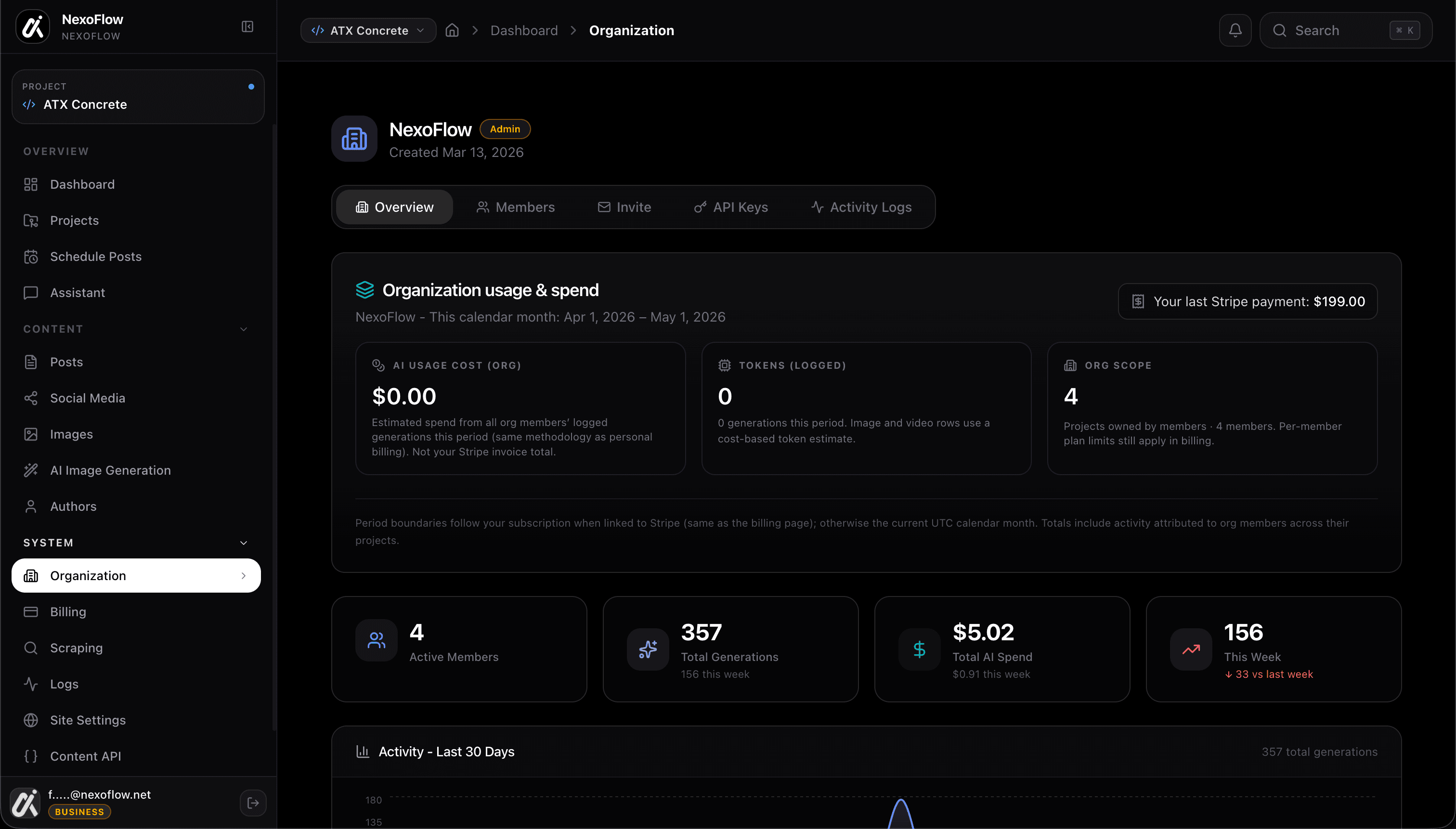
As an admin you get the full picture- billing, AI credit usage, member activity, and output reports. See exactly who drafted what, what shipped, and what's still in progress across the whole organization.
- See every project and its current status at a glance
- Billing dashboard: AI credit usage broken down by member
- Activity reports: posts drafted, scheduled, and published per person
- Invite and remove members, reset roles at any time
- Org-level settings: tone defaults, channel connections, workspace name
47
Posts this month
$12.40
AI credits used
4
Active members
Output this week
Team progress
Member
Create, draft, and publish- no admin noise.
Members have everything they need to do the work. Create projects, write drafts in the Agentic Workspace, schedule posts, and publish to any channel the org has connected- without dealing with billing or settings.
- Create and manage projects with full access to draft and publish
- Use the Agentic Workspace within the org's shared credit pool
- Schedule and publish to any channel connected to the org
- See their own output history and publishing stats
- Collaborate on shared content without needing admin access
Projects
+ NewBlog- Q2 series
6 posts
LinkedIn content
12 posts
Product launch
4 posts
Roles
Two roles. Crystal clear boundaries.
No permission spreadsheets, no role configuration- just two levels that map to how your agency actually works. The boss runs the org, everyone else ships content.
Full visibility into the org: billing, AI credit usage, member activity, channel connections, and all projects. Manages the team and org settings.
Can create and manage projects, write drafts with AI, schedule and publish to org channels. Focused on doing the work- no access to billing or admin settings.
- Org billing & credit usage
- Member activity reports
- Add / remove members
- Connect channels & integrations
- All member capabilities
- Create & manage projects
- Draft and publish content
- Use the Agentic Workspace
- Access shared channels
- View own stats
Built to scale
Works for a team of 2 or 50
Start with one admin and one member. Add people as your agency grows- the workspace adapts, the roles stay simple.
Team size that matches the plan
Core includes workspace seats per project. Multi-brand agencies and larger teams: contact us for seating that fits.
Projects per plan
Each client or brand runs on its own Core subscription, with channel packs only for the networks that project publishes to.
Org-level reporting
Posts drafted, published, and scheduled per member- visible to admins at any time, updated live.
Pricing
Scales with your team
Core plus optional channel packs, billed per project. See the pricing page for full details — or contact us for multi-brand rollouts.
Get your team shipping content together
Create your organization, invite your team, and start publishing from a shared workspace in minutes.